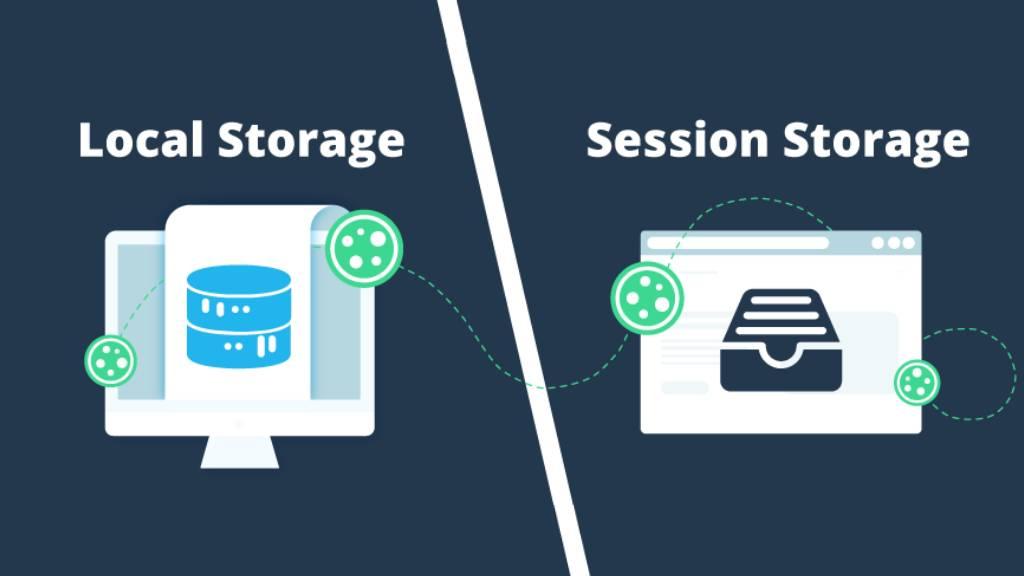
localStorage and sessionStorage store string key/value pairs in the browser. localStorage keeps data until you delete it and shares it across all tabs of the same site. sessionStorage keeps data only for one tab: it survives reloads, but a new tab starts empty and the data is gone when the tab closes. Both hold about 5 million characters per site and only store strings.
Tested with: Chromium 156 and WebKit 27.2 (Safari's engine) via Playwright, over http://localhost with real reloads, new tabs and popups, October 2026. Results were the same in both unless noted.
localStorage vs sessionStorage
| localStorage | sessionStorage | |
|---|---|---|
| Survives a page reload | Yes | Yes |
| Survives closing the browser | Yes | No |
| Visible in other tabs of the same site | Yes | No (each tab has its own) |
| Tab opened with window.open() | Shared | Gets a copy at that moment; later changes aren't shared |
| Size limit (our test) | ~5.2 million characters | Similar per tab |
| Sent to the server | No | No |
| Good for | Theme, language, dismissed banners, cached non-sensitive data | Multi-step form progress, per-tab state |
In our test, a value set in sessionStorage was still there after reload, was null in a new tab, and was copied into a tab opened with window.open(). Changing it in that popup didn't change the original tab, and a popup opened with noopener got no copy.
The Basic Methods
localStorage.setItem("theme", "dark");     // save
localStorage.getItem("theme");              // "dark"
localStorage.getItem("does-not-exist");     // null
localStorage.removeItem("theme");           // delete one key
localStorage.clear();                       // delete everything for this origin

// sessionStorage has exactly the same methods
sessionStorage.setItem("step", "2");for (let i = 0; i < localStorage.length; i++) {
const key = localStorage.key(i);
console.log(key, localStorage.getItem(key));
}Both storages belong to an origin (protocol + domain + port): https://example.com and http://example.com have separate storage, and so do subdomains. Full API: Web Storage on MDN.
Everything Is Stored as a String
localStorage.setItem("count", 1);              // stored as "1"
localStorage.setItem("flag", true);            // "true"
localStorage.setItem("list", [1, 2]);          // "1,2"
localStorage.setItem("user", { name: "Ali" }); // "[object Object]"  ← data lost
localStorage.setItem("nothing", null);         // "null" (a string, not null)
We checked each of these: numbers and booleans come back as strings, arrays are joined with commas, and objects become "[object Object]", so the data is lost silently. Use JSON for anything that isn't already a string:
const user = { name: "Ali", plan: "pro" };
localStorage.setItem("user", JSON.stringify(user));

const saved = JSON.parse(localStorage.getItem("user") ?? "null");
console.log(saved?.name); // "Ali"
The ?? "null" matters: getItem returns null for a missing key, and code like JSON.parse(localStorage.getItem("user")).name throws a TypeError on first visit. Our JSON guide has readJSON/writeJSON helpers that also survive corrupt values.
When Storage Throws: Quota and Blocked Access
QuotaExceededError
Writing past the limit throws. In our test both engines stopped at about 5.2 million characters (keys count too):
| Engine | Error |
|---|---|
| Chrome | QuotaExceededError: Failed to execute 'setItem' on 'Storage': Setting the value of 'k4' exceeded the quota. |
| Safari (WebKit) | QuotaExceededError: The quota has been exceeded. |
try {
  localStorage.setItem("big", hugeString);
} catch (error) {
  if (error.name === "QuotaExceededError") {
    // remove old cache entries, or tell the user
  }
}
SecurityError: storage blocked
Access can also fail before you write anything: in a sandboxed iframe without allow-same-origin even reading localStorage threw SecurityError in both engines, and some browsers block it when users disable site data. Check once with a helper:
// Returns localStorage/sessionStorage, or null if the browser blocks it
// (storage disabled, sandboxed iframe, some privacy settings)
export function getStorage(type = "localStorage") {
  try {
    const storage = window[type];
    const testKey = "__storage_test__";
    storage.setItem(testKey, "1");
    storage.removeItem(testKey);
    return storage;
  } catch {
    return null;
  }
}const storage = getStorage("localStorage");
if (storage) {
storage.setItem("visited", "yes");
} else {
// fall back to memory, or just skip the feature
}Sync Between Tabs With the storage Event
When one tab changes localStorage, every other tab of the same site gets a storage event. The tab that made the change does not:
// Save the theme, apply it, and update other open tabs when it changes
const KEY = "theme";

export function applyTheme(theme) {
  document.documentElement.dataset.theme = theme;
}

export function setTheme(theme) {
  localStorage.setItem(KEY, theme);
  applyTheme(theme); // the "storage" event doesn't fire in this tab
}

applyTheme(localStorage.getItem(KEY) ?? "light");

window.addEventListener("storage", (event) => {
  // Fires in OTHER tabs of the same origin
  if (event.key === KEY && event.newValue) applyTheme(event.newValue);
});
In our test, setting the theme to dark in tab A updated tab B through the event (key "theme", old value null, new value "dark"), while tab A received no event, which is why setTheme applies the theme itself. The same pattern works for logout-everywhere or cart counts. Reference: storage event on MDN.
Keep a Form Draft Across Reloads (sessionStorage)
// Keep a form's text fields in sessionStorage so a refresh doesn't lose them
export function keepFormDraft(form, key = `draft:${location.pathname}`) {
  const saved = sessionStorage.getItem(key);
  if (saved) {
    for (const [name, value] of Object.entries(JSON.parse(saved))) {
      const field = form.elements.namedItem(name);
      if (field && field.type !== "password" && field.type !== "file") field.value = value;
    }
  }

  form.addEventListener("input", () => {
    const data = {};
    for (const [name, value] of new FormData(form)) {
      if (typeof value === "string" && form.elements.namedItem(name)?.type !== "password") {
        data[name] = value;
      }
    }
    sessionStorage.setItem(key, JSON.stringify(data));
  });

  form.addEventListener("submit", () => sessionStorage.removeItem(key));
}import { keepFormDraft } from "./form-draft.js";
keepFormDraft(document.querySelector("#contact-form"));We typed into a title, a textarea and a password field, then reloaded: title and text came back, the password did not (it's never saved), and submitting removed the draft. sessionStorage fits here because a draft for this tab shouldn't appear in other tabs or next week.
Expiring localStorage Data
localStorage has no expiry, so store one yourself:
// localStorage never expires on its own; store an expiry time with the value
export function setWithExpiry(key, value, ttlMs) {
  localStorage.setItem(key, JSON.stringify({ value, expires: Date.now() + ttlMs }));
}

export function getWithExpiry(key) {
  const text = localStorage.getItem(key);
  if (text === null) return null;
  try {
    const { value, expires } = JSON.parse(text);
    if (Date.now() > expires) {
      localStorage.removeItem(key);
      return null;
    }
    return value;
  } catch {
    return null;
  }
}setWithExpiry("promo", "SAVE10", 24 * 60 * 60 * 1000); // 1 day
getWithExpiry("promo"); // "SAVE10", or null once it has expiredWith a 200 ms lifetime in our test, the value was returned before it expired, and afterwards getWithExpiry returned null and removed the key. If you need data that expires and is sent to the server, use a cookie instead (see our cookies guide).
What Not to Store
- Passwords, card numbers, personal data: anything in storage can be read by any JavaScript on your page, including a malicious script injected through an XSS bug or a compromised third-party library.
- Long-lived auth tokens: a token in localStorage can be stolen by XSS and used elsewhere. Prefer an HttpOnly, Secure, SameSite cookie set by the server, which JavaScript can't read. If you must keep a token in the browser, keep it short-lived, and sessionStorage at least limits it to one tab.
- Large or frequently written data: storage is synchronous and capped at a few MB. 10,000 writes took 28–52 ms in our test, fine for settings but not for big datasets. Use IndexedDB for those.
More on protecting front-end apps in our JavaScript security guide.
localStorage vs sessionStorage vs Cookies vs IndexedDB
| localStorage | sessionStorage | Cookies | IndexedDB | |
|---|---|---|---|---|
| Capacity | ~5 MB | ~5 MB | ~4 KB each | Hundreds of MB+ |
| Expires | Never | When the tab closes | When you set | Never |
| Sent with requests | No | No | Yes, automatically | No |
| Readable by JavaScript | Yes | Yes | Unless HttpOnly | Yes |
| API | Synchronous, strings | Synchronous, strings | document.cookie string | Async, objects and files |
| Use for | Preferences, small caches | Per-tab state, drafts | Sessions, auth (HttpOnly) | Offline data, large caches |
Common Mistakes
| Mistake | What happens | Fix |
|---|---|---|
| setItem("user", object) | Saves "[object Object]" | JSON.stringify / JSON.parse |
| JSON.parse(getItem(key)).field on first visit | TypeError: null | Handle null (?? or a helper) |
| Expecting sessionStorage in a new tab | null | Use localStorage, or pass data in the URL |
| Listening for storage in the same tab | Nothing fires | Update the current tab yourself |
| No try/catch around setItem | QuotaExceededError breaks the app | Catch and clean up |
| Auth tokens in localStorage | Stolen by any XSS | HttpOnly cookies |
| Comparing getItem("count") to a number | "1" !== 1 | Number(getItem("count")) |
FAQs
What is the difference between localStorage and sessionStorage?
localStorage is shared by all tabs and kept until deleted. sessionStorage belongs to one tab, survives reloads, and is deleted when the tab closes.
Does sessionStorage survive a page refresh?
Yes. It's cleared when the tab is closed, not when the page reloads.
How much data can localStorage hold?
About 5 MB per origin in current browsers. In our test, Chrome and Safari's engine both accepted about 5.2 million characters before throwing QuotaExceededError.
How do I store an object or array in localStorage?
Convert it with JSON.stringify() when saving and JSON.parse() when reading.
Is localStorage secure?
It's isolated per site, but any script running on your page can read it. Don't store passwords, tokens or personal data there.
Does localStorage expire?
No. Data stays until your code, the user or the browser (for example when clearing site data or under storage pressure) removes it. Store an expiry timestamp if you need one.
Can I use localStorage in Next.js or other server-rendered apps?
Only in the browser. Read it in useEffect or event handlers, not during server rendering, where localStorage is undefined. If the UI depends on it, render a neutral state first to avoid a hydration mismatch.
Related Articles
View all


About Muhaymin Bin Mehmood
Front-end Developer skilled in the MERN stack, experienced in web and mobile development. Proficient in React.js, Node.js, and Express.js, with a focus on client interactions, sales support, and high-performance applications.